- -€10.00
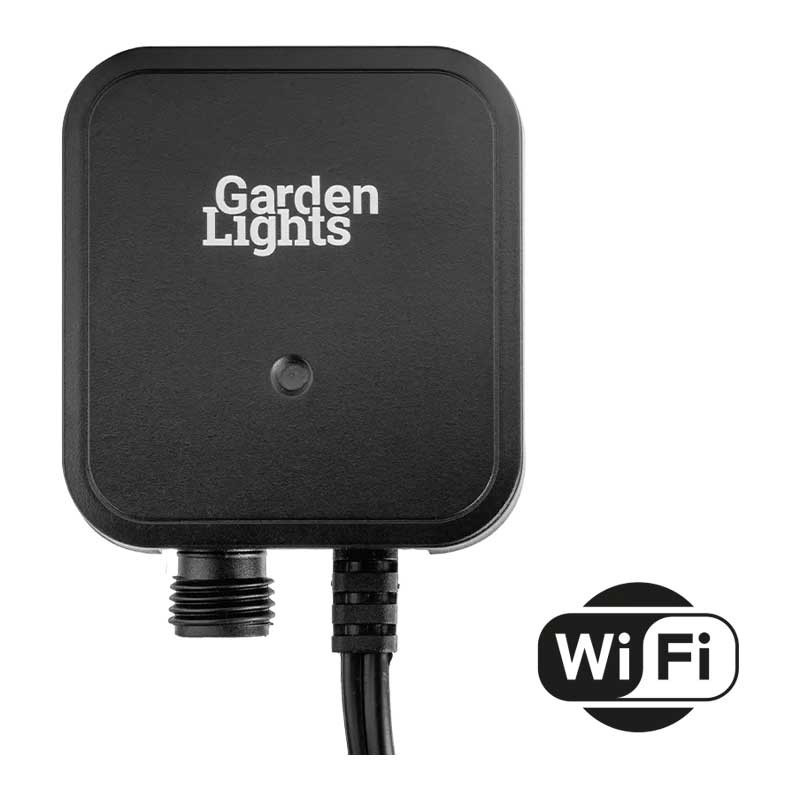


Use this new Switch Smart (Wi-Fi) and have full control over your garden lighting. Whether you already have a system or are going for a whole new system, this switch can be used for both! To control your system, simply use the Switch Smart in combination with the app. Illuminate all or part of your garden at just the touch of a button. As the settings can now be managed and changed remotely, it’s easy to make sure your lights are never on unnecessarily. The Switch will need a strong Wi-Fi connection and must be on 2.4GHz to work. Alexa & Google Assistant compatible. The switch uses 1W of transformer loading but requires 5W minimum loading to work.
Garden Lights items come with a 5 year warranty when used within a complete Techmar Garden Lights system.
 Security policy
(edit with the Customer Reassurance module)
 Delivery policy
(edit with the Customer Reassurance module)
 Return policy
(edit with the Customer Reassurance module)
The Garden Lights Wi-Fi switch is a great addition to the Garden Lights range. You can now switch your garden lights system on/off using the Smart Life App (free to download and use). You can also set up numerous timers and if you enter your home location in the app it will switch your lights on at dusk and you can then use a timer to switch them off. This then makes it a fully automatic system that will control your lights all year long and adjust for the changes in daylight times. Also easily control your lights via Alexa or Google
You will need to have a strong 2.4ghz Wi-Fi signal where this switch is being positioned and it will need placing in the lighting circuit before the first light.
Comes with a wall mounting plate and detachable ground spike. You may consider our short 30cm extension cable if you want to wall mount the Wi-Fi switch.
Multiple Wi-Fi switches can be used to control different areas or circuits.

These videos will help you to get your SMART system up and running
https://youtu.be/678Noo6vmkU?si=0ze2aFiPiOmlmoyN
https://youtu.be/DiZonFYC18U?si=QDNT_MlYDtN4LOcd
https://youtu.be/kwbT4dsgSJI?si=v7sVibTH0G7ElrRA
https://youtu.be/qrgs26k5i38?si=RYWbXgX7-zK923To
https://youtu.be/Zh7QgLHkSvU?si=OMLKvM8xv-hKM2oA
Data sheet
Specific References
You might also like
Use this new Switch Smart (Wi-Fi) and have full control over your garden lighting. Whether you already have a system or are going for a whole new system, this switch can be used for both! To control your system, simply use the Switch Smart in combination with the app. Illuminate all or part of your garden at just the touch of a button. As the settings can now be managed and changed remotely, it’s easy to make sure your lights are never on unnecessarily. The Switch will need a strong Wi-Fi connection and must be on 2.4GHz to work. Alexa & Google Assistant compatible. The switch uses 1W of transformer loading but requires 5W minimum loading to work.
Garden Lights items come with a 5 year warranty when used within a complete Techmar Garden Lights system.